
SaaS, single‑tenant & multi‑tenant – what I learned building my first platformUnderstanding SaaS, Single‑Tenant, and Multi‑Tenant – A Developer’s Perspective
by a developer who figured it out the hard way
A few months ago I launched a small blogging platform. Users could sign up, log in, write posts, and see only their own content. It worked beautifully, but when a colleague asked, “Is this a SaaS? Is it multi‑tenant?” I realised I wasn’t 100% sure. I was using those words, but the distinctions were blurry. If you’ve ever felt the same confusion, let me share what I learned — in plain language, no buzzwords.
What actually is SaaS?
SaaS (Software as a Service) is simply software that runs online. Users access it through a browser, log in, and use it without installing anything. Think Gmail, Notion, or Figma. So when I built my blog platform with a sign‑up form and a login page, I had already built a SaaS application. It wasn’t complicated — just web software with user accounts. That’s the core: if your users connect via the internet and authenticate, it’s SaaS.
What does “tenant” mean?
Imagine an apartment building. Each tenant rents an apartment, but the building (the infrastructure) is shared. In software, a tenant is simply a customer using your system. If you have fifty different companies (or fifty individual users) on your platform, you have fifty tenants. A tenant can be a whole organisation with many users, or just one person — the term is about logical separation of data, not the number of people.
Single‑tenant vs multi‑tenant: the architecture choice
Single‑tenant: your own private house
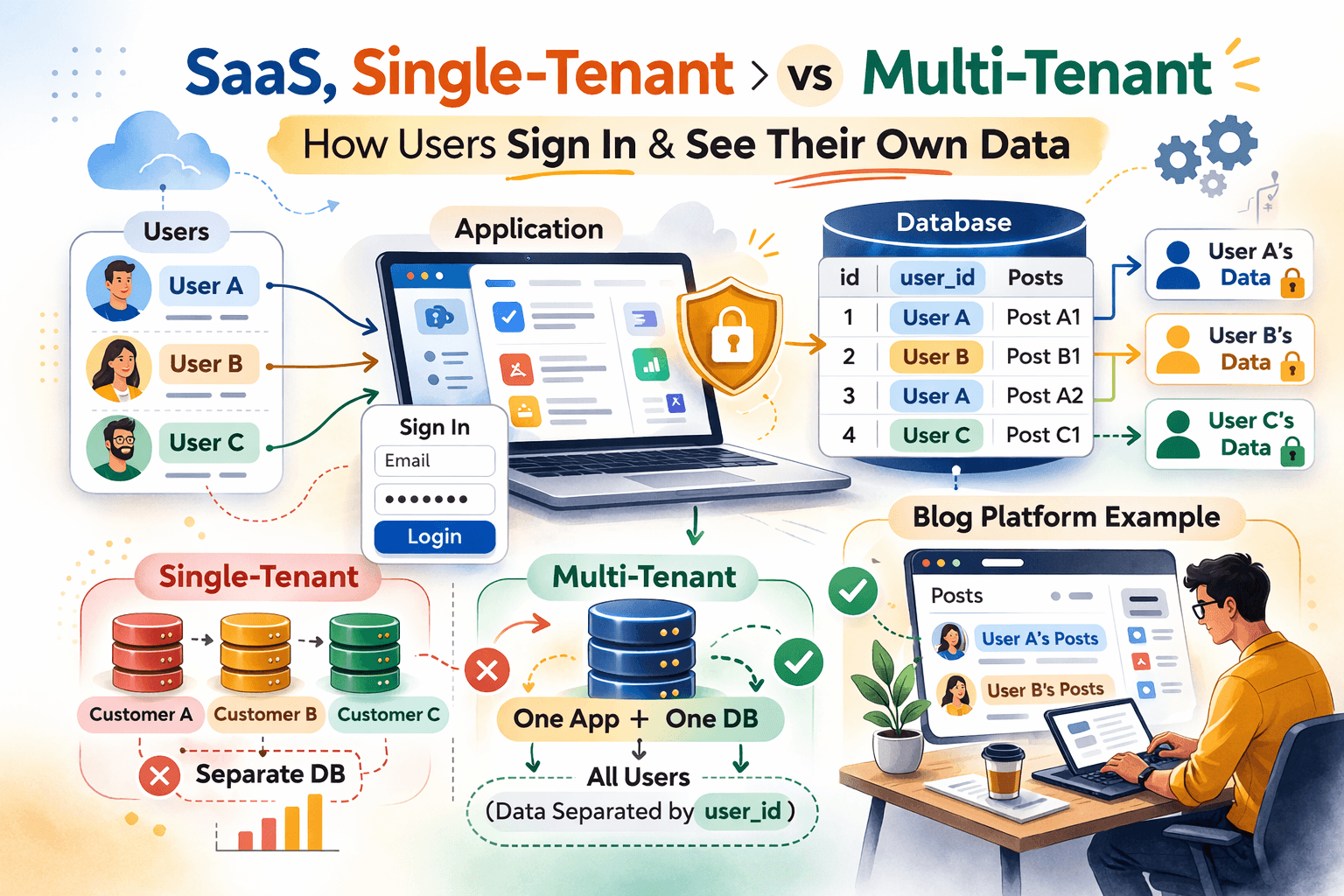
In a single‑tenant setup, each customer gets their own dedicated infrastructure — separate database, maybe even a separate server. It’s like each tenant owns a detached house. This is common in enterprise software where security and isolation are critical.
- Advantages: total data isolation, strong security, customisation per customer.
- Disadvantages: expensive to run and scale, harder to maintain (updates have to be applied to every database individually).
When I started, I briefly considered giving every blog its own database. Then I imagined deploying a schema change to 100 databases and quickly abandoned the idea.
Multi‑tenant: an apartment building
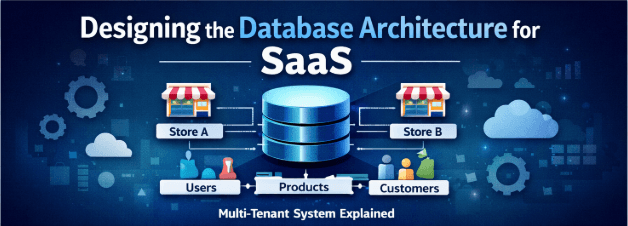
In a multi‑tenant architecture, all customers share the same application and the same database. Their data is separated by a simple identifier — usually a tenant_id or user_id column. It’s like an apartment building: everyone shares the same entrance and pipes, but your door locks keep your space private.
- Advantages: cost‑effective (one infrastructure), easy to maintain, scales effortlessly, and is the modern SaaS standard.
- Disadvantages: risk of data leakage if queries aren’t careful, harder to give individual customers custom features.
My “aha!” moment: my blog platform was multi‑tenant all along
When I looked at my database, the posts table looked something like this:
id  |  user_id  |  title            |  content
----+-----------+-------------------+------------------
1   |  42       |  My first post    |  Hello world …
2   |  7        |  DevOps tips      |  Full Stack Developer....
3   |  42       |  Another one      |  More text...
Every time a user logged in, I ran a query like:
SELECT * FROM posts WHERE user_id = currentUserId;
That was it. Even though the table contained posts from many users, each user only saw their own. That’s logical isolation — the essence of multi‑tenancy. My app was multi‑tenant without me realising it. I hadn’t set up separate databases or complex sharding; I just added a user_id column and filtered by it.
When is it not SaaS?
Suppose you have a personal blog that only you can edit — no user accounts, no login. That’s a simple web application, not SaaS. For it to be SaaS, you need users as customers who access the software online. So if your platform includes:
- user sign‑up and login,
- users creating or managing data,
- each user seeing only their own data (filtered by ID),
- and it runs in a browser,
…then you’ve built a multi‑tenant SaaS application — exactly like my blog platform, and exactly like WordPress.com, Substack, or Notion.
Why I’m glad I started with multi‑tenancy
I didn’t over‑engineer at the beginning. I built one app, one database, and added a user_id column. It kept costs low, and every new feature was instantly available to all users. Later, if a client demands higher isolation, I can always migrate them to a dedicated database — but starting simple with multi‑tenancy is the smart way to validate your idea.
Quick summary
- SaaS – software delivered online with user accounts.
- Tenant – a customer (individual or organisation).
- Single‑tenant – each customer gets their own database/server.
- Multi‑tenant – customers share the same app/database, data isolated by ID.
If your platform has multiple users logging in, and each sees only their own data thanks to a user_id filter, congratulations — you’ve built a multi‑tenant SaaS application. I wish someone had explained this to me when I started, but now I hope this clears things up for you too.
Happy building – and remember, the architecture you choose today can always evolve tomorrow.