
TypeScript Any vs Unknown vs Null vs Undefined — Never Being Confused Again
Moving from vague uncertainty to intentional, bug-free code.
Let's be real. The confusion around TypeScript's any, unknown, null, and undefined doesn't come from complexity. It comes from how deceptively similar they seem at first glance. You've probably been there: the code compiles, you ship it, and then… a runtime crash in production. Or that interview question pops up, and suddenly your confidence wavers.
This isn't about memorizing textbook definitions. It's about understanding the developer mindset behind these types and how to use them to write robust, professional applications, especially in frameworks like Next.js. By the end of this guide, this confusion will be a thing of the past.
The TypeScript Mindset: Levels of Trust, Not Just Rules
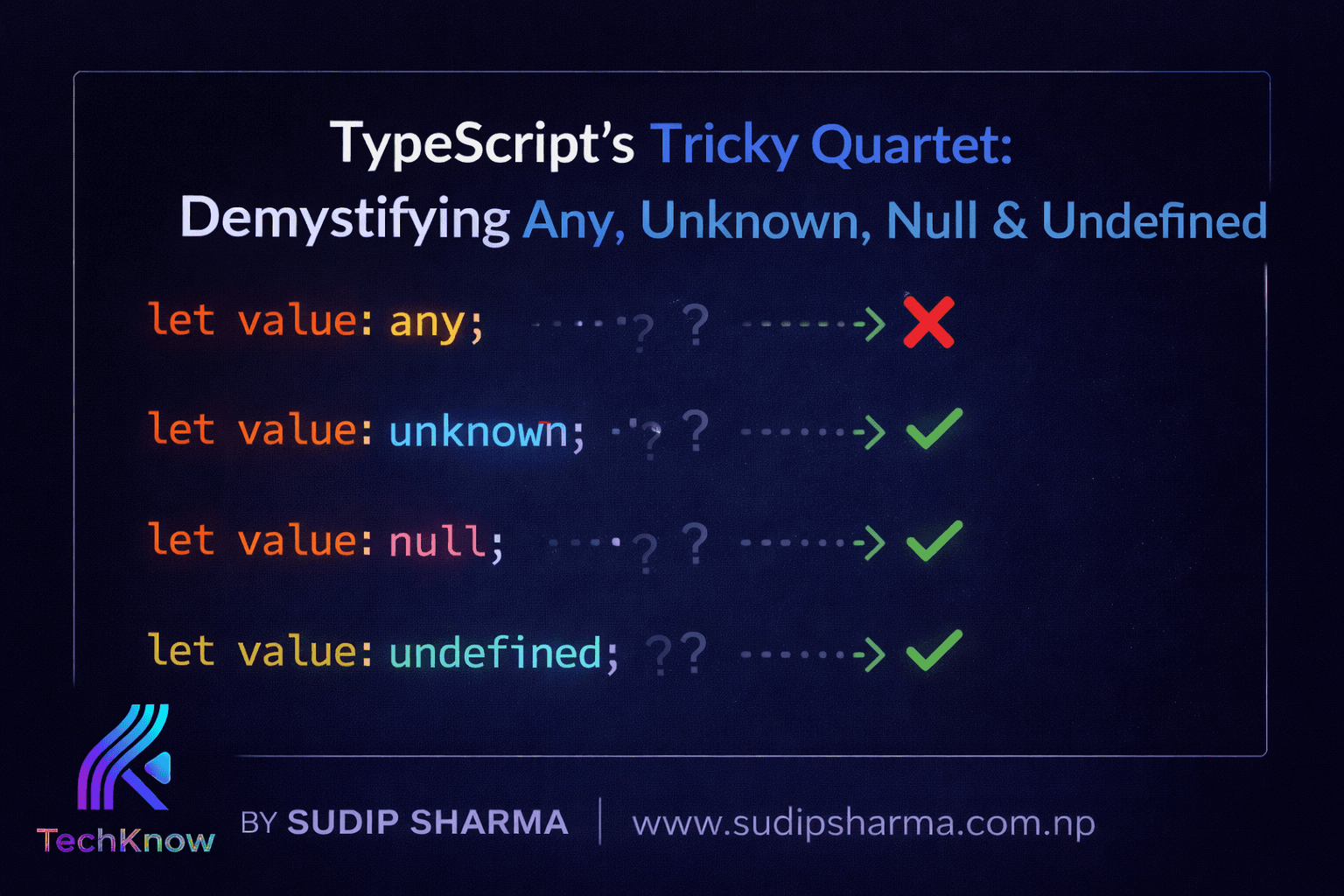
JavaScript gives you immense freedom, which sometimes leads to chaos. TypeScript doesn't aim to lock you down; instead, it provides layers of safety—different levels of trust you can assign to your data. Think of it this way:
- any → "I trust this completely." (Spoiler: This is dangerous).
- unknown → "I don't trust this at all until you prove it to me."
- undefined → "A value was not provided or is not ready yet."
- null → "We intentionally set this to represent 'nothing'."
Grasping this core idea—that you are explicitly defining trust—is the key to mastering these types.
Breaking Down The "Big Four"
The Tempting Shortcut That Breaks Your Code
any feels fantastic in the moment. Stuck with a type error? Just slap any on it and TypeScript goes silent. You feel productive.
 let data: any;
data = "Hello";
data = 42;
data.toUpperCase(); // No error in your editor...
The hidden cost? Zero type safety. That silent editor means runtime crashes are just waiting to happen.
The Hidden Production Trap
 // In your Next.js app
let user: any = 42; // Oops, it's a number, not an object user.name.toLowerCase(); // ✅ Build passes. ❌ App crashes.
Verdict: any disables TypeScript's primary reason for existing. In production-grade Next.js apps, it's a major red flag.
Your New Best Friend (It Just Demands Proof)
If any is blind trust, unknown is healthy skepticism. It tells TypeScript, "I don't know what this is, so don't let me do anything with it until I check."
let value: unknown; // value.toUpperCase(); // ❌ Compiler ERROR: stops you here! if (typeof value === 'string') { value.toUpperCase(); // ✅ Compiler is happy. You are safe. }
The Next.js API Pattern You Should Use
 // app/api/data/route.ts export async function GET() { const externalData: unknown = await fetchSomeUnsafeAPI();
// Prove the data shape before using it
if (typeof externalData === 'object' && externalData !== null && 'id' in externalData) {
return Response.json(externalData);
}
return new Response('Invalid data', { status: 400 });
}
This pattern stops bad data at the door, preventing bugs from ever reaching your UI components.
Verdict: unknown is the professional choice. It trades a tiny bit of upfront validation for immense runtime safety.
Not Provided, Not Ready Yet
undefined is JavaScript's default way of saying "this doesn't exist yet." A variable hasn't been assigned, a function didn't return a value, or a property is optional.
 let userName: string | undefined; // It might be set later
// Common in Next.js component props
function UserGreeting({ name }: { name?: string }) {
return
Hello, {name ?? 'Guest'}
; // Handles undefined gracefully
}
It's a natural part of JavaScript's flow. The key is to always account for it, often with the nullish coalescing operator (??).
Intentionally Empty
null is a deliberate assignment. You, the developer, are explicitly setting a value to represent "nothing."
 let selectedItem: string | null = null; // Nothing is selected on purpose.
// Later, in a React component:
if (selectedItem === null) {
return
Please select an item.
;
}
It communicates clear intent, especially useful for resetting state or representing an empty choice.
The Classic Interview Question: Null vs. Undefined
This comparison is a favorite for a reason. Here’s the simple breakdown:
- undefined: Means "not yet defined." It's the language's default empty value. ("I didn't put anything here.")
- null: Means "intentionally empty." It's a value you actively assign. ("I put 'nothing' here on purpose.")
The perfect one-line answer: "undefinedmeans a value is missing;nullmeans a value is intentionally absent."
Quick-Reference Summary
Keep this mental model in your back pocket:
- any:
Avoid in production.The "escape hatch" that disables safety. - unknown: Use for unsafe data (APIs, user input). Forces you to validate, making code robust.
- undefined: A natural, expected state for optional things. Always handle it.
- null: A clear, intentional empty state you control.
Production Rules of Thumb
- Replace
anywithunknownfor data you don't control. - Validate all
unknowndata before use (type guards are your friend). - Use
undefinedfor optional parameters and properties. - Use
nullwhen you need to explicitly represent an empty state.
Frequently Asked Questions
Should I ever use `any`?
Rarely, and only in very specific, isolated cases like prototyping or interacting with a truly dynamic library. Even then, cast it to a safer type as soon as possible.
Isn't `unknown` just annoying extra work?
It feels that way at first. But that "extra work" is the exact process of thinking through your data's shape, which catches bugs before your users do. It's a net time-saver.
Which is better for state, `null` or `undefined`?
Consistency is key. Many teams prefer null for state to distinguish a deliberate empty state from something that's just uninitialized. Pick one and stick with it in your project.
Final Thought: Embrace the Annoyance
If TypeScript ever feels like it's being a nag, that's a good sign. It's catching the subtle issues that would otherwise become late-night debugging sessions. By understanding and correctly applying any, unknown, null, and undefined, you're not just passing an interview question. You're building Next.js applications that are safer, easier to maintain, and fundamentally more professional.
The one-line takeaway: ❌anyhides bugs, ✅unknownforces safety,undefinedmeans "not yet," andnullmeans "intentionally empty."